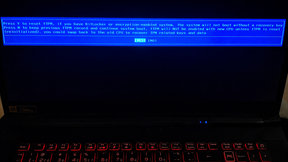
Remote resolution of an fTPM warning during laptop startup.
Having trouble with your computer? If it is connected to the internet, we can resolve most problems remotely. You do not need to travel anywhere or wait for a technician to visit.
We help customers throughout Slovakia and the Czech Republic, as well as Slovaks living abroad. All you need is an internet connection and your consent to a one-time connection. Most software issues can be resolved without a visit to a repair shop.
Throughout the remote support session, you can see everything we do on your screen. We do not make any important changes without your approval.
The program is not installed on your computer. When the session is over, simply close it. Only you can authorize any future connection.
If diagnostics show that the problem cannot be resolved remotely, we will tell you in advance and recommend the best next step.
We do not promise the impossible. We recommend solutions that make sense.

Just three simple steps are all it takes to start resolving your problem.
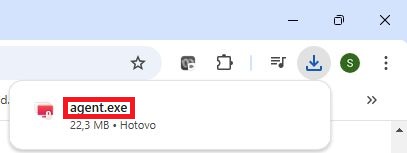
Click Agent, download the program and run it (file agent-7.7.3.0.exe). The program is not installed on your computer.
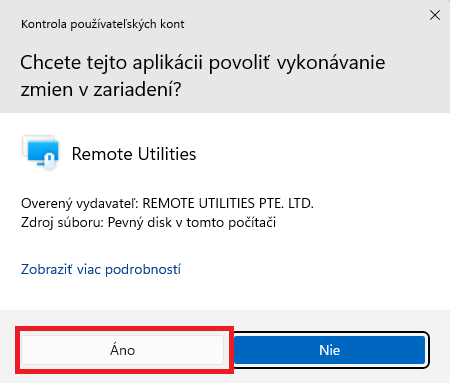
If Windows asks, “Do you want to allow this app to make changes to your device?”, click Yes:
The program will display an Internet-ID and password. Read these details to us over the phone and we will connect securely.
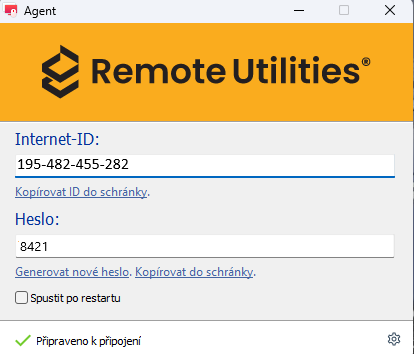
The entire process takes about one minute. We can then start resolving your problem immediately, provided that your computer is connected to the internet.

Fast support without a technician visit. In most cases, we can resolve the problem during the phone call and remote session. Benefits:
|
Most software-related problems can be resolved without a technician visit. If your computer or laptop is connected to the internet, we can connect securely with your permission and start working on the issue.
In most cases, we can resolve the problem during a single phone call and remote session. If you are unsure whether remote support is suitable for your issue, call us. We will be happy to advise you and recommend the best solution.
Simply give us a call. During the conversation, we will determine whether the problem can be resolved remotely.
Before the session begins, we will always tell you the estimated cost based on our current pricing. Once the problem has been resolved, you can pay by card, bank transfer or QR payment. All prices shown on our website include VAT.
Yes. The connection is established only with your permission. You can see everything we do on your computer, and once the session ends, we cannot reconnect without your knowledge.
No. The program is not installed on your computer and works only during an active session. You must authorize every new connection.
Before the session begins, we will tell you the estimated cost. You pay only after the support has been successfully completed. Payment can be made by card, bank transfer or QR payment, and we will send the invoice to you by email.
We most often resolve Windows problems, remove viruses, install software and configure email, printers, internet connections, Microsoft Office and other software.
At the beginning, you will need to run the program and provide the Internet-ID and password. We recommend remaining available by phone during the repair in case we need to discuss anything with you.
Many problems can be resolved within a few minutes. For more complex cases, we will keep you informed of the estimated time required.
If diagnostics show that an in-person repair is required, we will tell you at the outset and recommend the best next step. We do not promise the impossible.
No. You only need to download and run a small program. It is not installed on your computer, and you simply close it when the session is over.
Yes. We provide remote support throughout Slovakia and the Czech Republic, as well as to Slovaks living abroad. All you need is a working internet connection.
Yes. You can see your computer screen throughout the session and follow every step. We do not make any important changes without your approval.
Remote resolution of an fTPM warning during laptop startup.
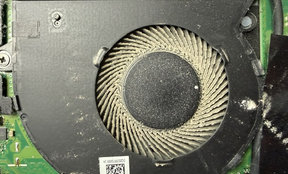
Dust cleaning from notebook.
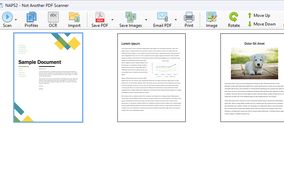
Installation of a document scanning application.
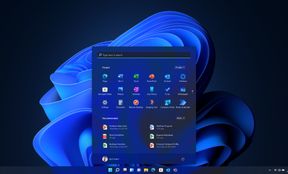
Windows 11 upgrade and setup.
We are available daily from 8:00 AM to 8:00 PM,
including weekends at no additional charge.
Please call in advance to arrange an appointment.